One current order queue
Give kitchen and handoff staff the same live view instead of relying on paper copies or repeated checks in Shopify Admin.
Shopify KDS for restaurants
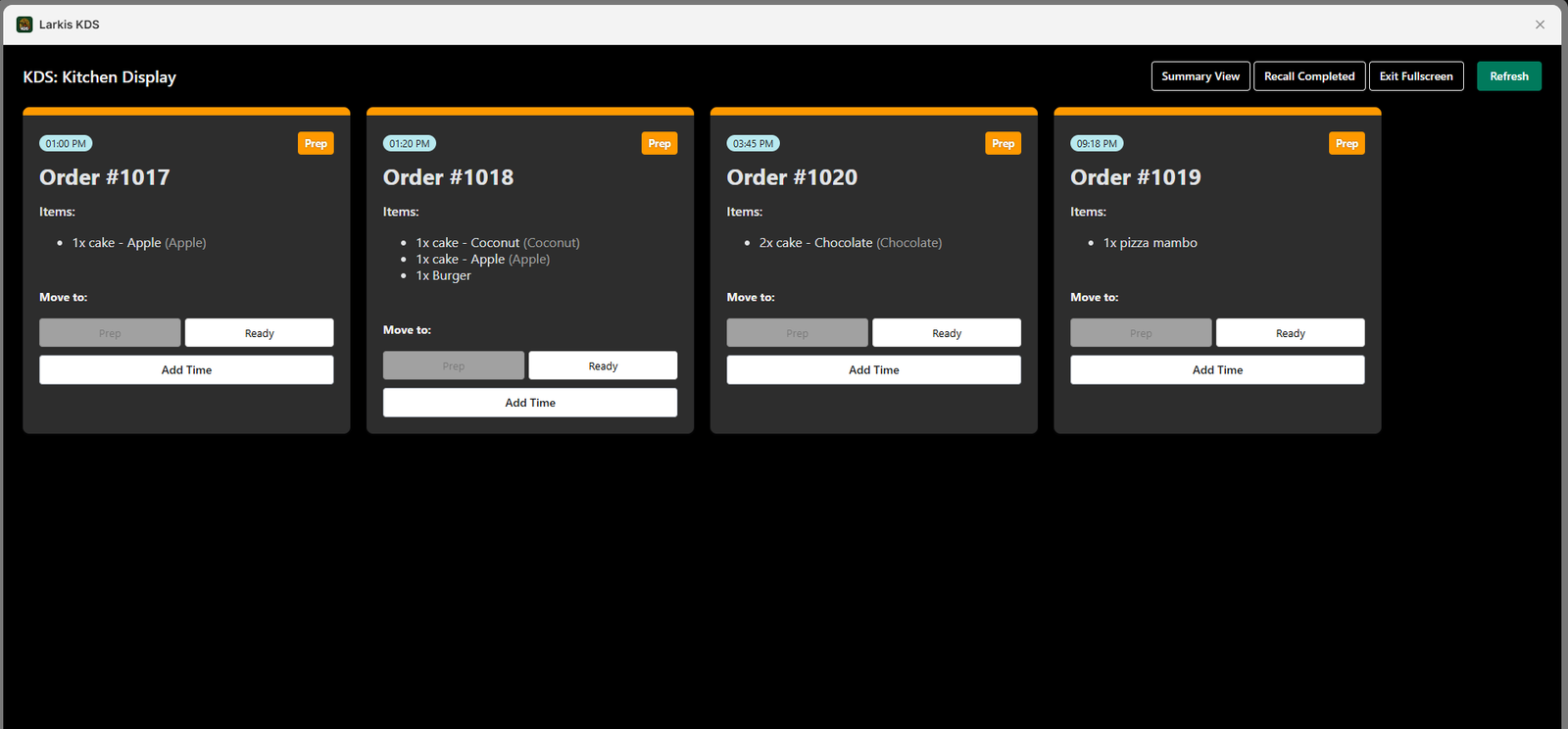
Move online restaurant orders from Shopify to a clear, live kitchen screen so staff can see what arrived, what is being prepared, and what is ready for handoff.
The operational problem
When Shopify orders are checked on one device, copied onto paper, and called across the kitchen, the team loses a shared view of priority. A busy service makes those small handoffs expensive: a new ticket can be missed, preparation can start late, or pickup staff may promise the wrong time.
A Shopify kitchen display system creates one operational view for digital orders. Larkis KDS keeps incoming tickets current in real time, alerts staff when a new order arrives, and lets the team sort work around the service in front of them.
What changes in practice
Give kitchen and handoff staff the same live view instead of relying on paper copies or repeated checks in Shopify Admin.
Sound alerts make a new Shopify order noticeable during service without asking someone to keep refreshing a screen.
Move tickets through the workflow and keep the next action clear for everyone sharing the display.
Use a phone, tablet, PC, or larger display and create extra screens for different stations or order flows.
How to get started
The exact setup depends on your service model, but the operational sequence stays simple.
Connect Larkis KDS to the Shopify store that receives your restaurant orders.
Set the card layout, light or dark mode, sound alerts, sorting, and filters around your service.
Open the display on the device your staff can see and protect shared screens with a PIN.
Agree how staff acknowledge, prepare, delay, and complete orders so the display reflects the real kitchen.
Common questions
Need to validate a specific workflow? Contact support@larkis.app.
Yes. When restaurant orders enter Shopify, Larkis KDS can provide a dedicated real-time kitchen view for managing those orders.
No. Larkis KDS works in a web browser on common phones, tablets, PCs, and larger displays.
Yes. Extra screens can support different stations, teams, or filtered order views.
The Standard plan is $19 USD per month and includes a 14-day free trial.
Built for Shopify